Daily Planner · current product
Build the day, review the route, hand off the drive.
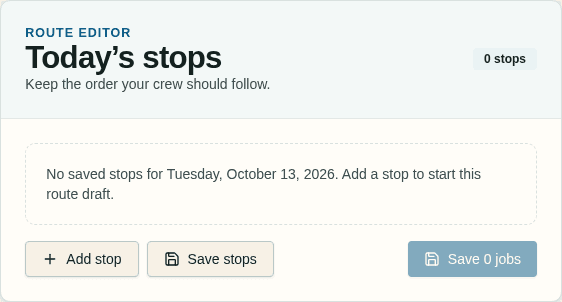
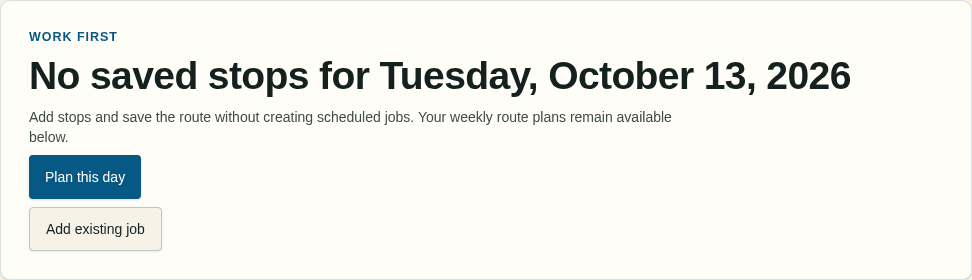
Current owner screens shown as they are today. The planner hands the saved stop order to Google Maps; it does not embed a live geographic map.
Daily Planner for US landscaping businesses
Save numbered stops with addresses and checklist progress, then hand the saved order to Google Maps when it's time to drive.
Owners and managers can review the day in Mowswitch before the crew heads out, with the route order chosen in the planner kept intact for the handoff.
Daily Planner · current product
Build the day, review the route, hand off the drive.
Current owner screens shown as they are today. The planner hands the saved stop order to Google Maps; it does not embed a live geographic map.
$29/mo
Plans start here
Unlimited
Users included on every plan
30 days
Free trial · no immediate charge
Stripe
Hosted card payments after onboarding
Estimate to payment
Build an estimate at the property, get customer approval, schedule the work, and carry it through to an invoice and hosted card checkout after Stripe onboarding.
Build and send a driveway estimate while the conversation is fresh.
Customers review the estimate and respond so approved work can move into the schedule.
Turn approved work into a scheduled job with the right crew attached.
Customers can use hosted card checkout from the invoice after Stripe onboarding.
Daily Planner
Current workflowThe Daily Planner gives landscaping owners and managers a shared view of the saved day: what is next, where the crew is headed, and how much checklist work is complete.
01 · Owner
An owner can arrange jobs as ordered stops and save the day for the team.
02 · Owner or manager
Review the saved order, each stop's saved address, and its checklist progress.
03 · When it's time to go
Hand off an individual stop or the full saved route to Google Maps for navigation.
Demo crew view
The protected workspace now gives authorized users a consent-based live view of sharing crew members, without chasing down a text or phone call.
Illustrative sample data — not live
This preview is fixed and does not read crew locations. Open the protected workspace to start or stop real sharing with consent built in.
Sample service area
Crew overview
North crew
Maple Street
East crew
Cedar Ridge
South crew
Oakview Lane
Fixed illustration · no location feed
See the workspace
Explore a presentation-only walkthrough of the core flow. The screens use illustrative sample data to show the shape of estimates, crew work, field checklists, and invoices.
Illustrative example · all walkthrough values are sample data
01 · Estimate
Build an estimate at the property and keep the scope, line items, and next step together.
What's included
Mowswitch keeps the core landscaping workflow together without promising automation that is not part of the current product.
Build estimates in the field and carry approved work through to an invoice.
Plan scheduled work and keep the right crew attached to each job.
Give crews a focused browser workflow for assigned work and job closeout.
Send an invoice with hosted card checkout after Stripe onboarding.
Straightforward pricing
Every plan includes unlimited users and a 30-day free trial with no immediate charge. Payment method collection and hosted card payments require Stripe onboarding.
$29/month
Core job management, estimates, invoicing, and crew workflow.
Most popular
$79/month
Everything in Starter, plus team permissions, recurring job workflows, and daily coordination for every crew.
$149/month
Adds marketplace access, reporting, automation, and offline field mode to Crew.
Annual billing, complete features, exact trial terms, and checkout are available on the pricing page.